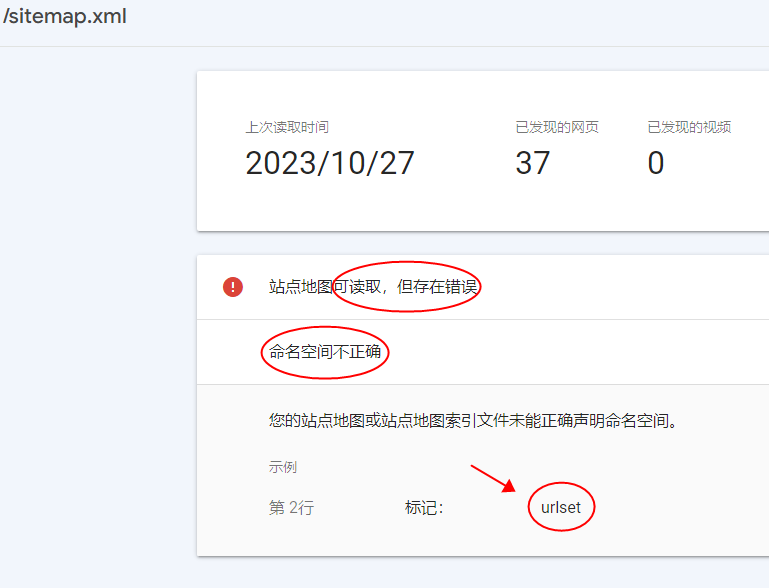
目前,3.0.3 版本的地图插件,有一个小BUG,会导致即使在谷歌平台添加了,但会提示错误。错误提示如下:

=解决方案=
1、打开 /lecms/plugin/le_sitemaps/sitemaps.htm
2、把 <urlset> 修改为 <urlset xmlns="http://www.sitemaps.org/schemas/sitemap/0.9">
3、关闭地图插件,然后重新启动。
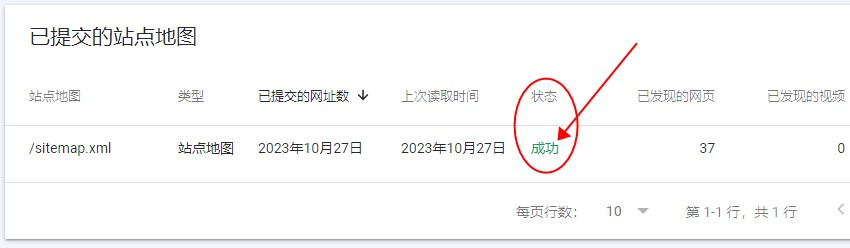
4、重新提交网站地图即可。
以下来自管理员编辑---------------:
如果出现截图错误:

请找到:le_sitemaps_pro_v303/views_control_after.php
搜索:$this->assign('baidu_items', $baidu_items); 改成
$this->assign('baidu_items', $baidu_items);
$this->assign_value('xml', '<?xml version="1.0" encoding="UTF-8" ?>');
请找到:le_sitemaps_pro_v303/sitemaps_xml.htm,整个文件内容改成
{php}
header('content-type:text/xml');
{/php}
{$xml}
<urlset xmlns="http://www.sitemaps.org/schemas/sitemap/0.9">
{loop:$baidu_items $v}
<url>
<loc>{$v[loc]}</loc>
{if:$v[lastmod]}<lastmod>{$v[lastmod]}</lastmod>{/if}
<changefreq>{$v[changefreq]}</changefreq>
<priority>{$v[priority]}</priority>
</url>
{/loop}
</urlset>